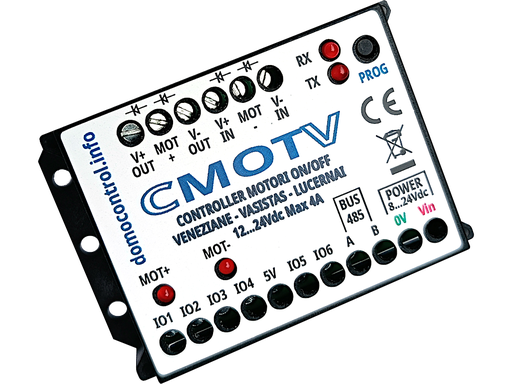
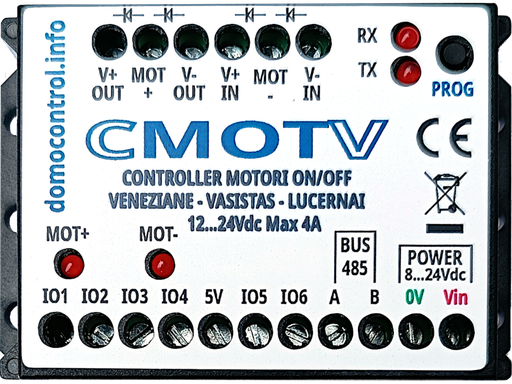
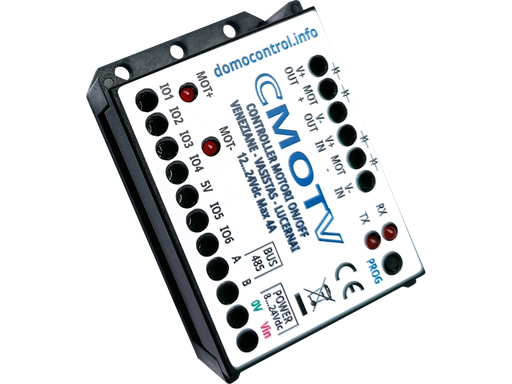
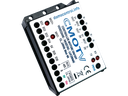
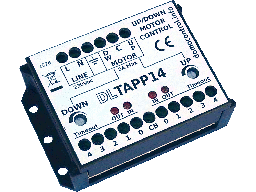
Management of individual and centralized group commands (up to 2 levels—for example, day/night zones and the entire apartment) for motorized Venetian blinds, hopper windows, skylights, and roller shutters; includes an internal safety timer that can be programmed by the user.
Technical specifications
- Control unit power supply: 7–24 V DC
- Control unit power consumption: Standby < 20mA / 60mA with motor in motion
- Relay power supply: up to 24Vdc
- Maximum output current: 4A
- LED indicators: Relay 1 ON / Relay 2 ON / Presence of commands on the BUS at level 1 and level 2 / Indicators for programming the maximum time
- Control buttons: non-interlocked control buttons must be used
- 6 Inputs: Local UP/DOWN controls, Level 1 grouping bus, Level 2 grouping bus
- Tempo massimo di movimento motore: programmabile direttamente da pulsanti di comando (preimpostato a 30 secondi)
- Protection Level: IP20
Wiring diagrams
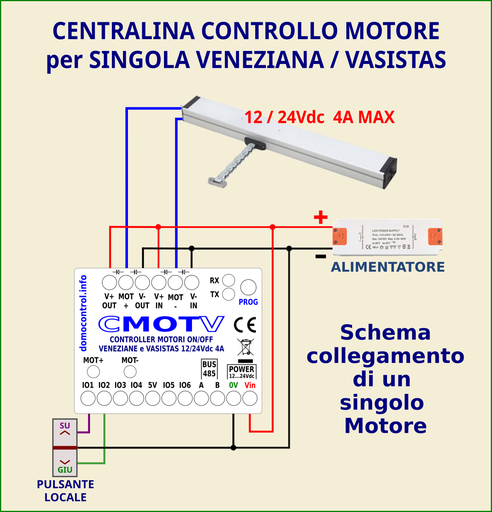
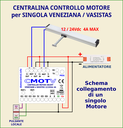
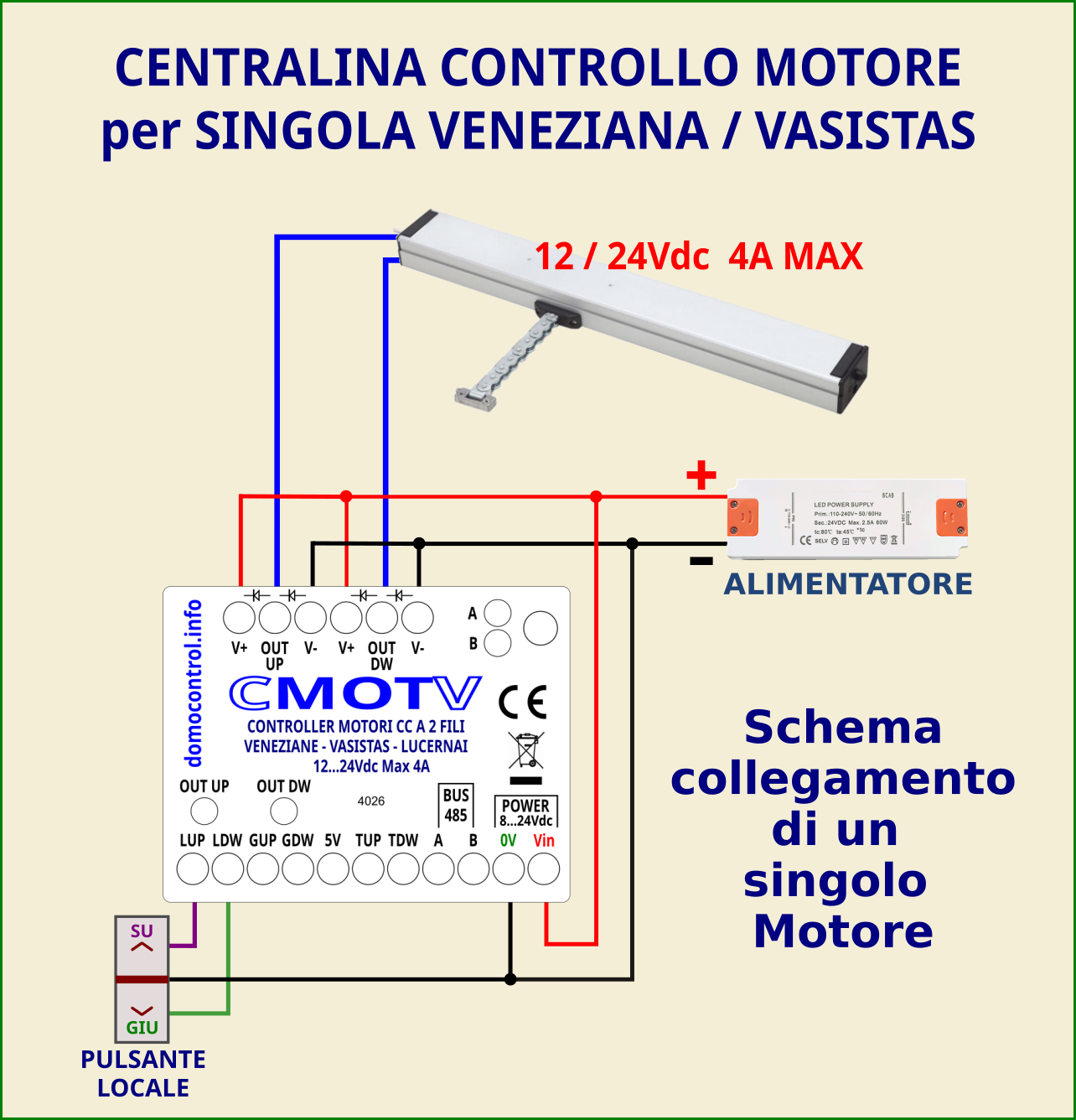
Command of a single unit
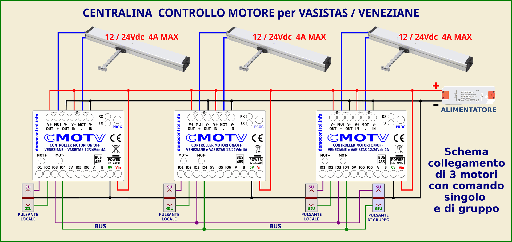
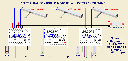
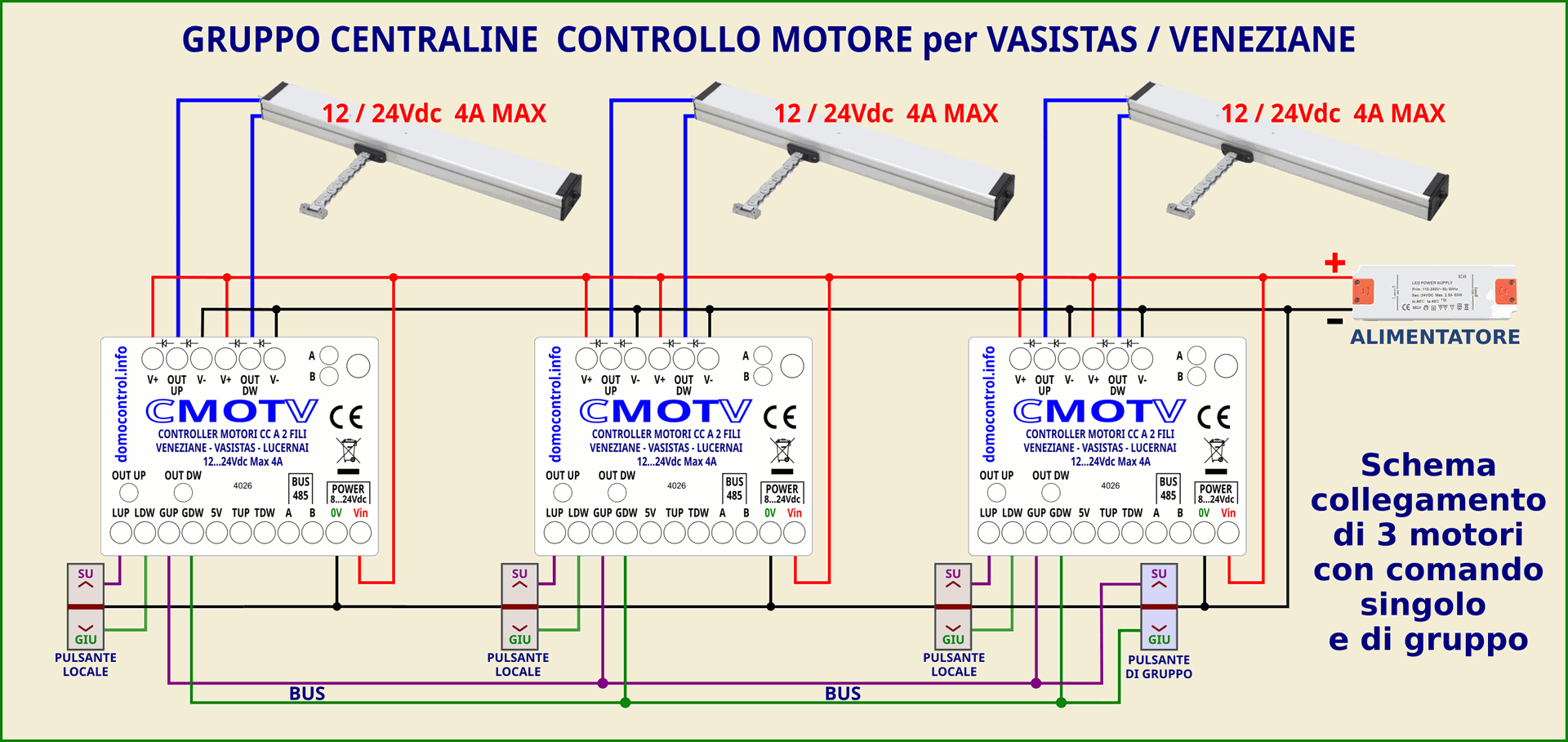
Wiring diagram for 3 units with individual and group controls
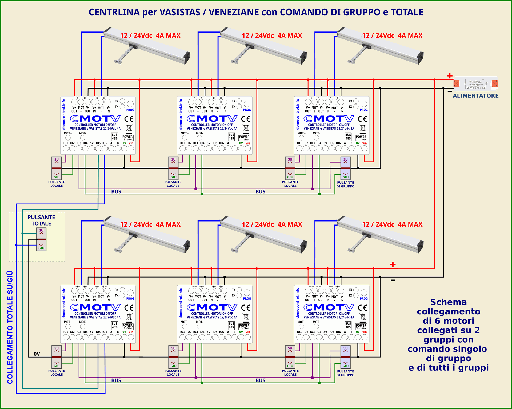
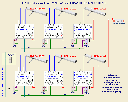
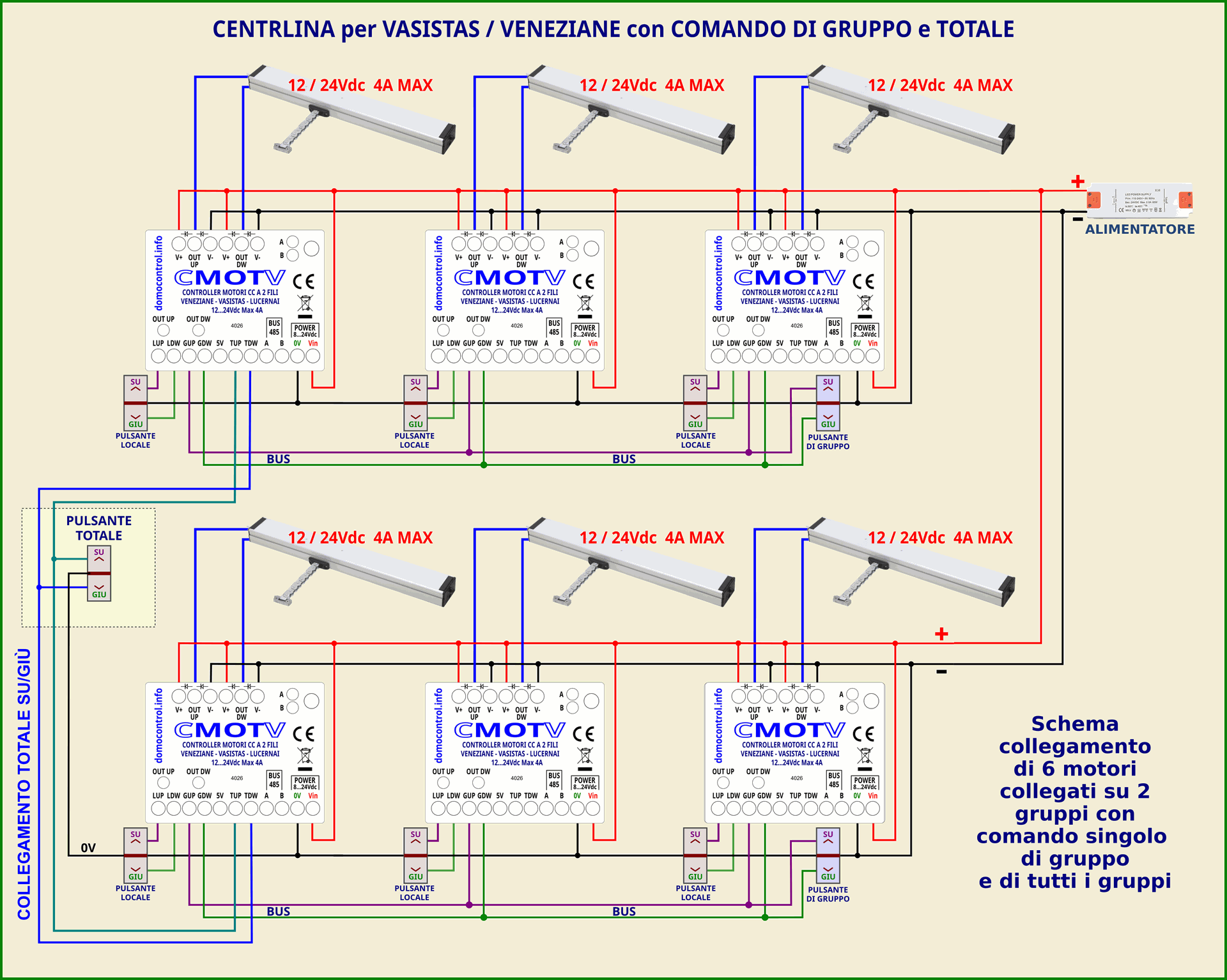
Wiring diagram for 2 groups with individual, group, and master controls
Description of operation
When power is supplied to the control units, the relays are off; consequently, both motor wires are connected to the same power supply terminal.
It is possible to send a command to an individual motor via inputs 1 and 2.
Multiple units can be grouped together by connecting all inputs 3 and 4 to one another (see diagram). Each control unit can send commands to the others via this BUS; furthermore, the group can be controlled by adding 2 push-buttons (see diagram).
Link multiple groups together by connecting inputs 5 and 6 of a control unit in each group. Each control unit can send commands to the others via this BUS; additionally, the group can be controlled by adding two extra push-buttons (see diagram).
Operation of the Up/Down buttons
- Short command while the motor is stopped: a brief press of the local Up/Down button triggers the full movement of the motor until it reaches its limit switch or the maximum set time (default is 30 seconds).
- Short command with the engine running: a brief press of either of the 2 buttons stops the engine.
- Extended operation with the motor off: moves the motor until the button is released
- .Extended command while the motor is running: if it is in the same direction, it has no effect. If it is in the opposite direction, it stops the motor and then restarts it in the opposite direction.
- Stop all motors: pressing the Up/Down buttons simultaneously stops all motors, regardless of how they are grouped or at what level they are positioned.
- Operating all motors in the group: By pressing both the Up and Down buttons simultaneously and then releasing the button for the UNWANTED direction, you will send a command to all motors in the group. If you continue to hold the button down for an additional 3 seconds, the motors on the level above will also be activated.
Group button
- Controls for all motors in a group: a short press triggers the full movement of all motors in the group, continuing until they reach their limit or the maximum allotted time (30 seconds).
- Stop all motors: pressing the Up and Down buttons simultaneously stops all grouped motors.
- Controlling the motors of all groups: By pressing both the Up and Down buttons simultaneously and then releasing the button for the UNWANTED direction, you can send a command to all motors in the group immediately, without having to wait for the 3-second delay.
Programming the maximum movement time
- Position the motor at its limit—either 'Up' or 'Down'.
- Pressing and holding the Up and Down controls simultaneously for at least 6 seconds enters programming mode, which is indicated by a short, chirping signal from the LEDs that show BUS activity.
- Releasing the button for the unintended direction initiates movement, and the BUS indicator LEDs begin to flash once per second; for the first 2 seconds, only one of the two LEDs flashes, indicating that the duration is too short. From the third second onwards, both LEDs flash.
- Releasing the button—or pressing the other one—exits the programming mode, and the movement time is permanently stored, even in the event of a power loss.
NB: Agendo sui pulsanti locali si imposta il tempo del singolo motore. Agendo invece sui comandi di gruppo, si imposta il tempo per tutti i motori del gruppo. Utilizzando i comandi di raggruppamento totale, si programma il tempo su tutti i motori Su/Giù.
Simplify the management of your system with a versatile control unit, ready for centralized automation. Available only at elettro.info.
![[DL485BS] DL485BS Smart Relè a 3 Uscite Indipendenti Configurabili (no WiFi)](/web/image/product.product/583/image_256?unique=8917b6d)
![[DL485RS] DL485RS - Smart Relè a 2 uscite deviatore indipendenti configurabili: Passo passo - Timer - Lampeggiante](/web/image/product.product/571/image_256?unique=8917b6d)